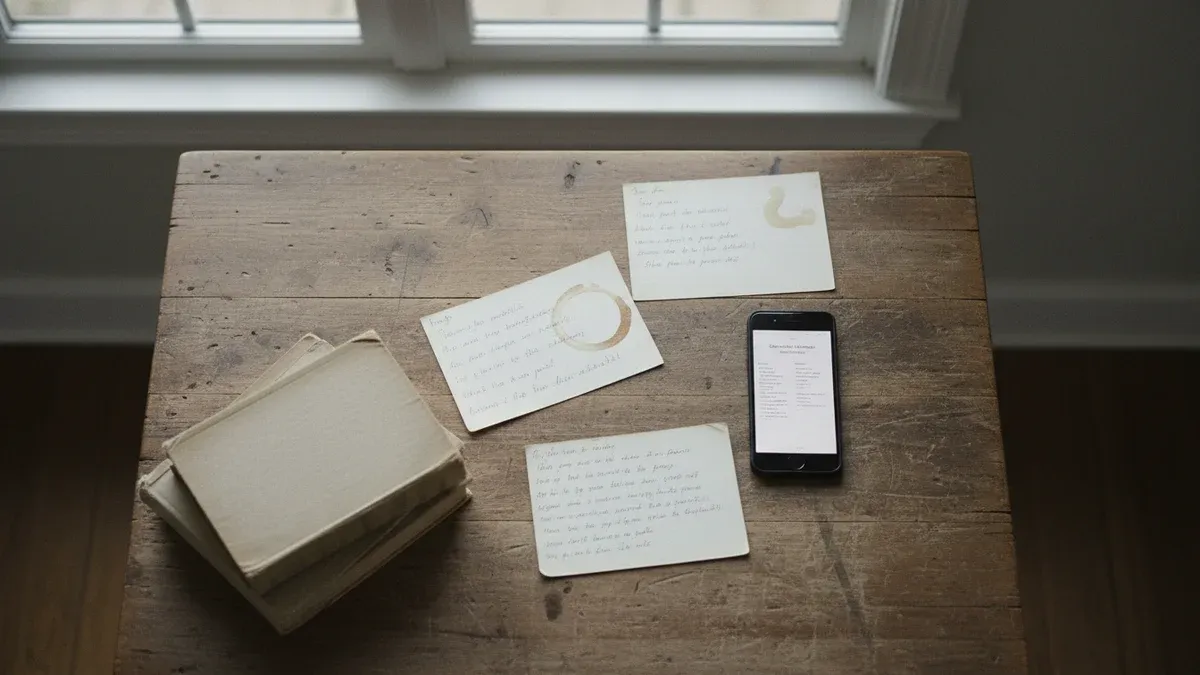
Your grandmother’s lasagne recipe is written on an index card in fading pencil. Your dad’s curry is a scribbled note tucked inside a cookbook from 1987. Your aunt just knows how to make that pie — she’s never written it down.
These recipes are irreplaceable. And they’re disappearing.
Key takeaways:
- Handwritten recipes fade, get damaged, or are lost when families move or downsize
- Photo scanning is the fastest way to digitise recipes without retyping them
- A simple folder system beats a complicated one — you need to find recipes to use them
- The best way to preserve a recipe is to cook it regularly
In this guide:
Why Family Recipes Get Lost
It happens slowly. A house move. A kitchen flood. A relative passes away and nobody thought to ask for the recipe. One day you want to make that dish and realise nobody remembers the quantities.
The most common reasons family recipes vanish:
- Handwriting fades — pencil on index cards doesn’t last decades
- Paper gets damaged — grease stains, water damage, torn pages
- Recipes were never written down — they exist only in someone’s memory
- Collections get scattered — after a move, downsizing, or passing, recipe boxes end up in different places
- Digital files get lost too — screenshots buried in camera rolls, bookmarks in old browsers, emails nobody can find
The irony is that most people intend to save these recipes. They just never get around to it. And by the time they try, it’s often too late.
3 Ways to Digitise Handwritten Recipes
You don’t need to retype every recipe by hand. Here are three practical approaches, from fastest to most thorough.
1. Photo scanning (fastest)
Point your phone camera at the recipe card, cookbook page, or handwritten note. Apps like Tavola can read the text from the photo and extract the ingredients and steps automatically.
This works for:
- Handwritten recipe cards
- Pages from cookbooks
- Recipes clipped from magazines
- Even screenshots of social media posts
The key advantage: you preserve the original and get a searchable digital version. No retyping.
2. Type them in manually
If the recipe is short or the handwriting is hard to read, typing it in yourself gives you the cleanest result. It also forces you to think through each step, which is useful if the original is vague (“add some flour”, “cook until done”).
Best for:
- Recipes with unclear handwriting
- Recipes that need updating (e.g. converting from imperial to metric)
- Recipes passed down verbally that you’re writing for the first time
3. Record a video
For recipes that live in someone’s head, the best approach is to cook alongside them and record it. You don’t need fancy equipment — a phone propped on the counter works fine.
Ask them to narrate as they go: “I add about this much oil…”, “I cook it until it looks like this…”. You can transcribe the recipe later from the video.
This is especially valuable for:
- Elderly relatives who cook by instinct
- Recipes with techniques that are hard to describe in text
- Dishes where the “feel” matters more than exact measurements
How to Organise Recipes So You Actually Use Them
A common mistake: people digitise their recipes and then never look at them again. The goal isn’t just to save recipes — it’s to cook them.
Keep your system simple:
By meal type
The most practical system for everyday use. When it’s 5 PM and you need dinner, you want to browse “Dinners” — not search through alphabetical lists.
| Category | What goes here |
|---|---|
| Weeknight dinners | Quick meals (under 45 min) |
| Weekend cooking | Longer recipes, projects |
| Lunches | Work lunches, leftovers-friendly |
| Breakfast | Morning staples |
| Baking & desserts | Sweet things |
| Sides & salads | Accompaniments |
Don’t over-organise
Two warnings:
- Don’t create too many categories. If you have 30 folders and 40 recipes, most folders are nearly empty and nothing is easy to find.
- Don’t delay cooking while you perfect your system. An imperfect system you use beats a perfect system you’re still building.
From Saved to Cooked: Turning Your Collection Into Meals
Here’s the real test of whether your recipe organisation works: do you actually cook from it?
The bridge between “saved” and “cooked” is meal planning. When you sit down to plan your week, you browse your own collection instead of searching the internet for something new.
A simple weekly workflow:
- Browse your saved recipes — pick 4-5 for the week
- Drop them into a planner — assign meals to days
- Generate a shopping list — ingredients combined and sorted
- Shop once — no mid-week panic trips
- Cook from your own collection — the recipes you already love
This is where digitised family recipes become more than digital archives. They become Tuesday night dinner. They become the dish your kids grow up eating. They become the thing that keeps grandma’s cooking alive in your kitchen, not just in a folder.
If you’re looking for a system that handles the planning and shopping list side, a good meal planner app can bridge the gap between your recipe collection and your actual meals.
What About Recipes You Find Online?
Family recipes are the emotional core, but most people also collect recipes from websites, social media, and friends. The key is having them all in one place.
For web recipes, look for tools that let you save the URL and extract the recipe automatically — no more screenshots or browser bookmarks you’ll never find again.
The ideal setup:
- Family recipes → scanned from photos or typed in
- Web recipes → imported from URLs
- Friend’s recipes → photographed from their handwriting or a text message
- All in one app → searchable, browsable, ready to plan with
FAQ
What’s the best app for saving family recipes?
Look for an app that supports photo scanning (so you don’t have to retype everything), lets you organise by category, and connects to meal planning so your saved recipes actually get cooked. Tavola does all three.
How do I digitise a recipe written in another language?
Photo scanning tools can often read text in multiple languages. Scan the original as-is to preserve it, and add a translated version in the notes if needed. The original handwriting is part of the recipe’s history.
Should I keep the original paper recipes after scanning?
Yes. Digital copies are practical, but the original card in your grandmother’s handwriting has sentimental value that a screen can’t replace. Store originals in a dry place — a photo album or recipe box away from the kitchen works well.
How many recipes do I need before meal planning is worth it?
Even 10-15 recipes is enough to plan a varied week. Most families rotate through 15-20 core recipes anyway. You don’t need hundreds — you need the ones your family actually eats.
What if the recipe doesn’t have exact measurements?
That’s normal for family recipes. Write down what you know (“a handful of…”, “enough to cover…”) and refine the quantities over time as you cook it. Approximate measurements are better than no recipe at all.
Every family recipe tells a story — a Sunday afternoon, a holiday tradition, a kitchen that smelled like home. Tavola helps you save those recipes, plan your week around them, and keep cooking the meals that matter most. Because the best way to honour a family recipe is to make it again.