Aesthetic meal planning
The cottagecore meal planner.
Plan your week, keep your recipes, and let your grocery list write itself — wrapped in a warm, hand-painted cottagecore theme. The same powerful meal planner, in a look that feels like home.


Free to download · No ads · iOS & Android
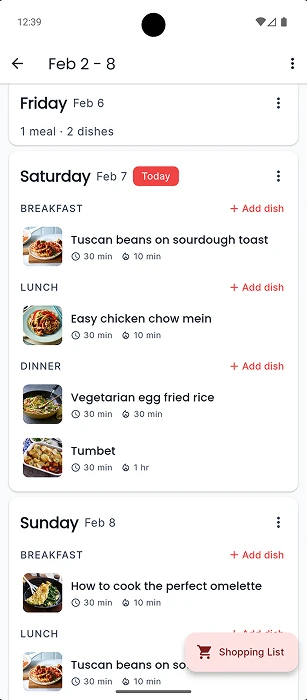
See the cottagecore setup in action
No blank-page feeling. Tavola's guided setup asks a few gentle questions and builds your first week of dinners for you — beautifully.
- 1
Tell us the cuisines you love and any dietary needs.
- 2
Pick your household size and which days you cook.
- 3
Sign in, and your first week of dinners is ready and waiting.
Make it yours
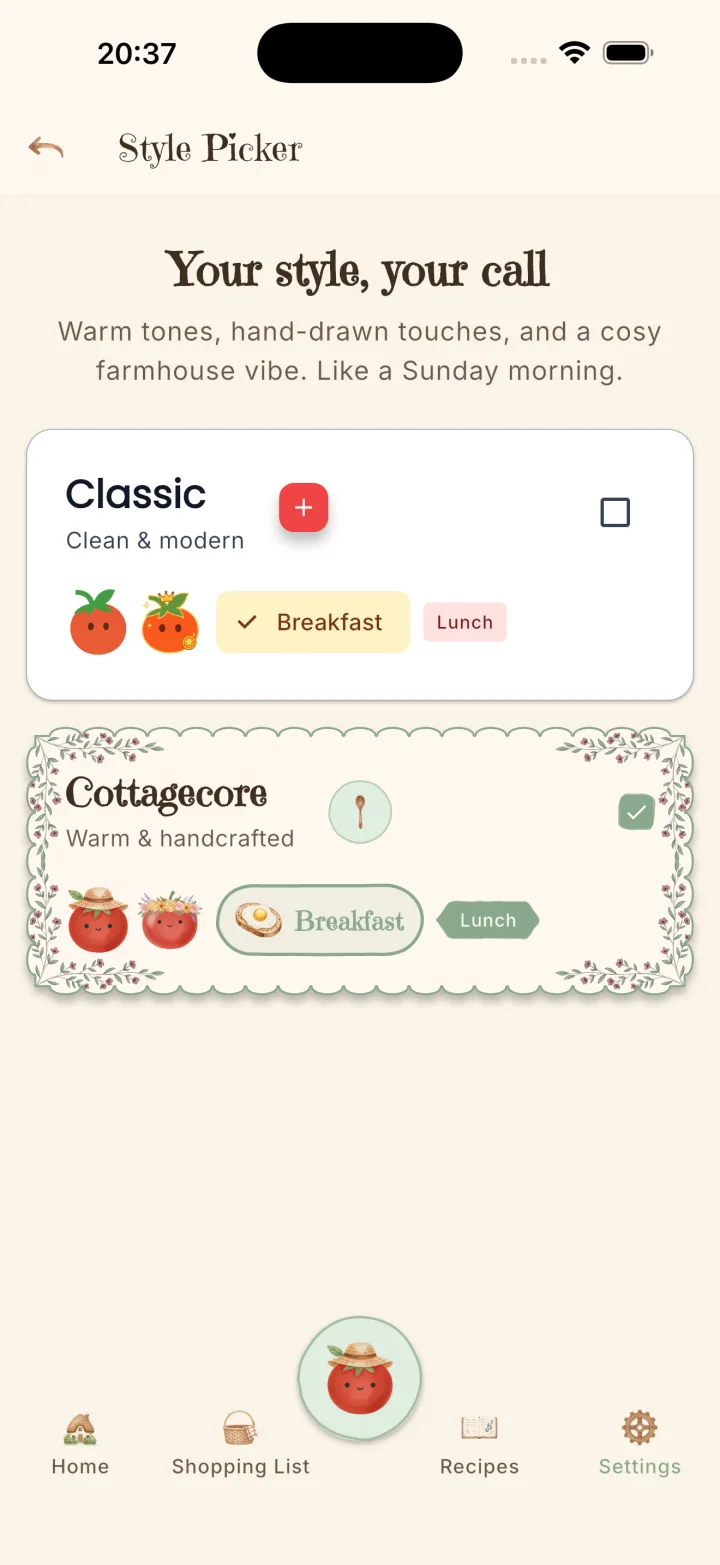
Two themes. Pick the one that feels like home.
Keep it clean and modern with the Classic theme, or switch to Cottagecore — warm tones, watercolour florals, and a cosy farmhouse feel, like a slow Sunday morning.
It's the same Tavola underneath. Your recipes, plans, and shopping lists stay exactly as they are — you're just choosing the look.
A meal planner that uses your recipes


Your recipes
Import from any link, or snap a photo of a handwritten card or cookbook page — your whole cookbook in one place.
Your week
Fill your week with meals you love and dinner is decided before Monday morning coffee — no more 5 PM panic.
Your kitchen
Your grocery list writes itself — sorted by aisle, combined across meals. Walk in, tick it off, walk out.
Frequently Asked Questions
Is there a cottagecore meal planner app?
Yes — Tavola is a meal planner app with a warm, hand-painted cottagecore theme. Plan your week, save your recipes, and build your grocery list, all wrapped in a cosy, watercolour, farmhouse-inspired look. It's free on iPhone and Android.
What is an aesthetic meal planning app?
An aesthetic meal planning app does everything a normal meal planner does — weekly plans, saved recipes, automatic shopping lists — but with a look designed to feel beautiful and calming to use every day. Tavola's cottagecore theme uses soft creams, sage greens, dusty rose, and hand-drawn florals.
Is the cottagecore theme free?
Yes. Both themes are free. You can plan meals, save recipes, and generate grocery lists at no cost, and switch to the cottagecore look any time in Settings. Tavola Pro unlocks extra features, but the theme itself is included for everyone.
Can I switch back to a classic look?
Absolutely. Tavola ships with two themes — a clean, classic look and the warm cottagecore theme — and you can switch between them whenever you like. It's the same Tavola underneath, so all your recipes and plans stay exactly as they are.
Do I need my own recipes to get started?
No. When you first open Tavola, a short guided setup asks about the cuisines you enjoy, any dietary needs, your household size, and which days you cook — and your first week of dinners is ready the moment you sign in. You can add your own recipes any time afterwards.
Your prettiest meal plan yet
Download Tavola free and turn "what's for dinner?" into a warm, cottagecore ritual.